Articasso#
Art is worth enjoying before the robots take over.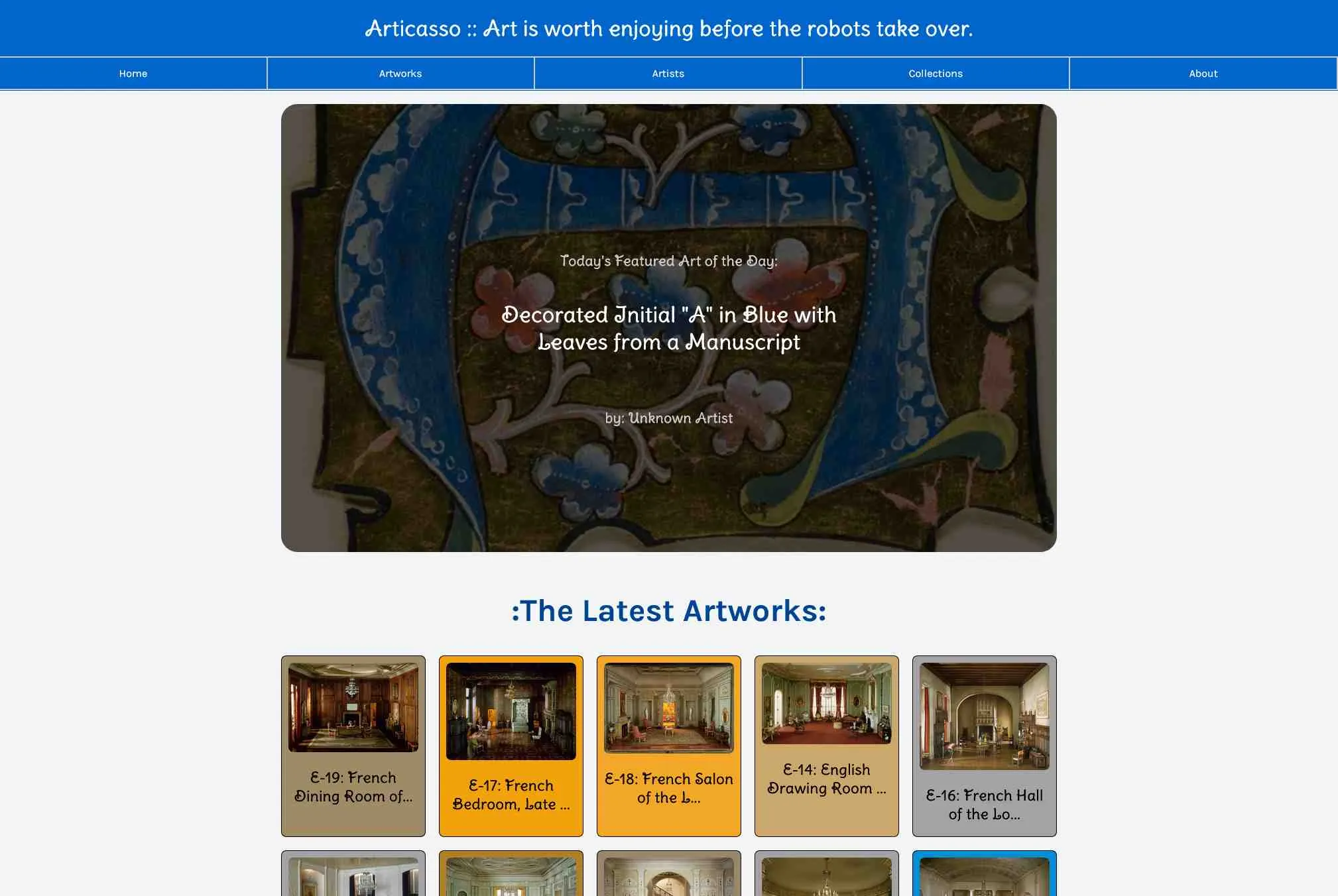
Project Links: Articasso WebsiteGithub Repository
How Articasso Was born#
Articasso was born as a simple necessity. I had recently signed up for a course about python data analysis and they wanted me to show I knew web technologies to jump to the python track. I was told I could choose a topic about comics, weather, music, art or coffee. I decided to build a website to showcase real human art. I used the Chicago art museum API to get the data.

The Chicago Art Museum website - Artic website ↗
The Tech Stack#
I had used SSR (Server Side Rendering) with Django and templating languages like Jinja2 and HTML. I also used CSS and bootstrap to make the websites look good. But I had always stayed away from JavaScript. I wanted to learn it and build something with it. So this project had to stick javascript to the end. Everything had to be done with vanilla javascript. I used the fetch API to get data from the API they wanted me to use.

The Visual Components#
I wrote custom js components multiple layers deep to make the website responsive. Everything had accessible event listeners and was built with the DOM API. I used js to create visuals like loader components, card components, and entire pages after fetching data from the API. I had to replace all the templating logic I had used with Django myself, with custom components written with javascript. I loved the experience of building something with javascript. It was a lot of fun to poke around and get to know the clientside that I had kinda ingored for so long.
// how a simple artwork page is displayed via javascript calls
export async function displayArtworkPage(id) {
    // manipulate the Dom directly
    const artworksSection = document.getElementById('artworks');
    // Create a visual loader component object while fetching data
    const loader = createLoader();
    artworksSection.appendChild(loader);
    // Fetch artwork data
    const artwork = await find_art(id);
    const art_manifest = await find_manifest(id);

    // Create an artwork card and add it to the DOM
    const card = displayArtwork(artwork.data, art_manifest);

    // Replace the loader once the data is fetched
    artworksSection.removeChild(loader);
    artworksSection.appendChild(card);

    // lots of more setup code and catching errors come below
}The Routing System#
I wanted the website to be fast and entirely clientside so I wouldnt have to setup a server and so the routing system was written in vanilla javascript. I wrote a custom SPA routing system to navigate between pages. I handrolled a custom routing system that could pass parameters around and keep track of the current view along with a history stack and back button. It all worked as a real SPA with using forward slash like most sites use instead of hash (#) based routing which I’m not a fan of. The routing system turned out very simple and easy to understand while very durable and flexible.
// the main function that gets called on page load
export async function locationHandler() {

    const location = window.location.pathname; // get the url path

    // if the path length is 0, set it to primary page route
    let currentView = ['/','']
    if (location.length == 0) {
        location = "/";
    }
    else{
        currentView = location.split('/');
        currentView.splice(0, 1);
    }

    // get the route object from the routes object
    const route = routes[currentView[0]] || routes["404"];
    // get the html from the template and simply assuming there are no errors
    const html = await fetch(route.template).then((response) => response.text());

   // prepare the wrapper section and remove the current view
    document.getElementById("main-container").innerHTML = html;

    // setup which view is currently loaded based on the url path
   if (currentView[0]=='') controller.routeHome();
    else if (currentView[0]=='art')  controller.routeArt(currentView[1]);
    else if (currentView[0]=='artist')  controller.routeArtist(currentView[1]);
    else if (currentView[0]=='category')  controller.routeCategory(currentView[1]);
    else if (currentView[0]=='feed')  controller.routeFeed();
    else if (currentView[0]=='odyssey')  controller.routeOdyssey();
    else if (currentView[0]=='countries')  controller.routeCountries();
    else if (currentView[0]=='art_search')  controller.routeArtSearch();
    else if (currentView[0]=='artist_search')  controller.routeArtistSearch();
    else if (currentView[0]=='category_search')  controller.routeCategorySearch();
    else {
        window.location.pathname = '/';
    }
}The State Management#
Up until this point I had used react that handled the state for me. I had never worked with js state management before so I had to learn it. I didn’t want to import anything from npm because I wanted to keep the website as simple as possible. I had to write my own state management system. I wrote a fancy singleton class system that would assuredly be the only instance of the state management system running at any given time. It had sensible apis to load and save the state to indexedDB. The reason I chose to use indexedDB over localstorage is because I wanted to be able to handle multiple gigabytes of image data and wanted it to persist even after the browser was closed. LocalStorage is what I had used before and I wanted to see if I could do it with indexedDB.
export class persistentState {
    // The artworks, artists, and categories are private variables caching the responses from the API to avoid fetching duplicates.
    // The private fields can only be accessed by the appropriate getter and setter methods.

    static dbName = "AppState";
    static storeNames = ["artworksStore", "artistsStore", "categoriesStore"];
    static cache = { artworksStore: {}, artistsStore: {}, categoriesStore: {} }; // Local cache of Fetched API resources
    static countriesStore;

    constructor() {
        this.initDB();
    }


    async getCountriesPage(pageNumber, itemsPerPage){
        // returns the data for the countries
        if (persistentState.countriesStore && Object.keys(persistentState.countriesStore).length > 0) {
            return Object.values(persistentState.countriesStore).slice((pageNumber-1)*itemsPerPage, pageNumber*itemsPerPage); // Return existing data if available
        }
        else {
            try {
                let countriesData = await this.getCountriesData();
                return Object.values(countriesData).slice((pageNumber-1)*itemsPerPage, pageNumber*itemsPerPage);

            } catch (error) {
                console.error(error);
                return {}
            }
        }
    }

    // Initialize IndexedDB with separate stores and indexes
    initDB() {
        let request = indexedDB.open(persistentState.dbName, 1);
        request.onupgradeneeded = (event) => {
            let db = event.target.result;
            persistentState.storeNames.forEach((storeName) => {
                if (!db.objectStoreNames.contains(storeName)) {
                    let store = db.createObjectStore(storeName, { keyPath: "id" });
                    store.createIndex("nameIndex", "name", { unique: false });
                }
            });
        };
    }

    // Batch fetch multiple items in a single transaction
    async batchGetState(storeName, ids) {
        return new Promise((resolve, reject) => {
            let request = indexedDB.open(persistentState.dbName);
            request.onsuccess = (event) => {
                let db = event.target.result;
                let transaction = db.transaction(storeName, "readonly");
                let store = transaction.objectStore(storeName);

                let results = {};
                ids.forEach(id => {
                    let getRequest = store.get(id);
                    getRequest.onsuccess = () => results[id] = getRequest.result ? getRequest.result.data : null;
                });

                transaction.oncomplete = () => resolve(results);
                transaction.onerror = () => reject(`Batch fetch failed for ${storeName}`);
            };
        });
    }

    // Optimized getState with cache
    async getState(storeName, id) {
        if (persistentState.cache[storeName][id]) {
            return persistentState.cache[storeName][id];
        }
        let data = await this.fetchFromDB(storeName, id);
        if (data) persistentState.cache[storeName][id] = data; // Store in cache
        return data;
    }

    // Fetch data from IndexedDB
    async fetchFromDB(storeName, id) {
        return new Promise((resolve, reject) => {
            let request = indexedDB.open(persistentState.dbName);
            request.onsuccess = (event) => {
                let db = event.target.result;
                let transaction = db.transaction(storeName, "readonly");
                let store = transaction.objectStore(storeName);
                let getRequest = store.get(id);

                getRequest.onsuccess = () => resolve(getRequest.result ? getRequest.result.data : null);
                getRequest.onerror = () => reject(`Failed to fetch data from ${storeName}`);
            };
        });
    }

    // Add or update an item in IndexedDB
    async updateState(storeName, id, data) {
        persistentState.cache[storeName][id] = data; // Update cache
        let request = indexedDB.open(persistentState.dbName);
        request.onsuccess = (event) => {
            let db = event.target.result;
            let transaction = db.transaction(storeName, "readwrite");
            let store = transaction.objectStore(storeName);
            store.put({ id, data });
        };
    }

    // Check if an item exists (using cache first)
    async hasItem(storeName, id) {
        return persistentState.cache[storeName][id] !== undefined || await this.fetchFromDB(storeName, id) !== null;
    }


    async addItem(storeName, id, data) {
        // returns void
        let exists = await this.hasItem(storeName, id);
        if (!exists) { // Add new data only if it doesn't exist
            this.updateState(storeName, id, data);
        }
    }

    // Remove an item and clear cache
    async removeItem(storeName, id) {
        delete persistentState.cache[storeName][id]; // Remove from cache
        let request = indexedDB.open(persistentState.dbName);
        request.onsuccess = (event) => {
            let db = event.target.result;
            let transaction = db.transaction(storeName, "readwrite");
            let store = transaction.objectStore(storeName);
            store.delete(id);
        };
    }
}
I also wrote a custom sessionState class that would keep track of the user’s previous routes. This allowed the custom routing system to know what page the user was on before if they clicked a back button.
export class sessionState {

    // In order to remember where the user has been before and save their url activity we store this variable
    // Format {url_fieldA: [url_state_1, url_state_2,...], url_fieldB : ...}
    static previousRoutes = {
        'art': [],
        'artist': [],
        'category': [],
        'art_search': [],
        'artist_search': [],
        'category_search': []
    };

    getPreviousRoutes(){
        // get the list of internal links the user has clicked along with ids based on the preiousRoutes above
        return sessionState.previousRoutes;
    }

    getLastVisitedField(field){
        // Get the last index for the field needed. Useful for quickly showing the user previous pages.
        return sessionState.previousRoutes[field].at(-1) ;
    }

    addRoute(field, newRoute){
        // Once the user clicks an SPA-link link or requests a new page its is added here.
        sessionState.previousRoutes[field].push(newRoute);
    }

}What I Learned#
I learned a lot about javascript and web development. I learned how to write a custom routing system, state management system, and a custom SPA framework. I also learned how to use indexedDB to store data locally. I also learned that a javascript app with 50+ js files being loaded is not a good idea. So I used esbuild to bundle all the js files into one file for distribution. The end result was a much smaller bundle size and a much faster website, loading extremely fast and without any errors.
The Outcome#
Finally the project was done. Articasso.org was a success. I added a small flask app to host it locally and published it via github pages online. I got so many good people reaching out and telling me about how they liked being immersed in the art world. I had a lot of fun building it and I learned a lot about javascript and web development. I really liked being able to build something that showcased real art made by people around the world. I hope to continue working on it and add more features.

Articasso.org as viewed on an iMac
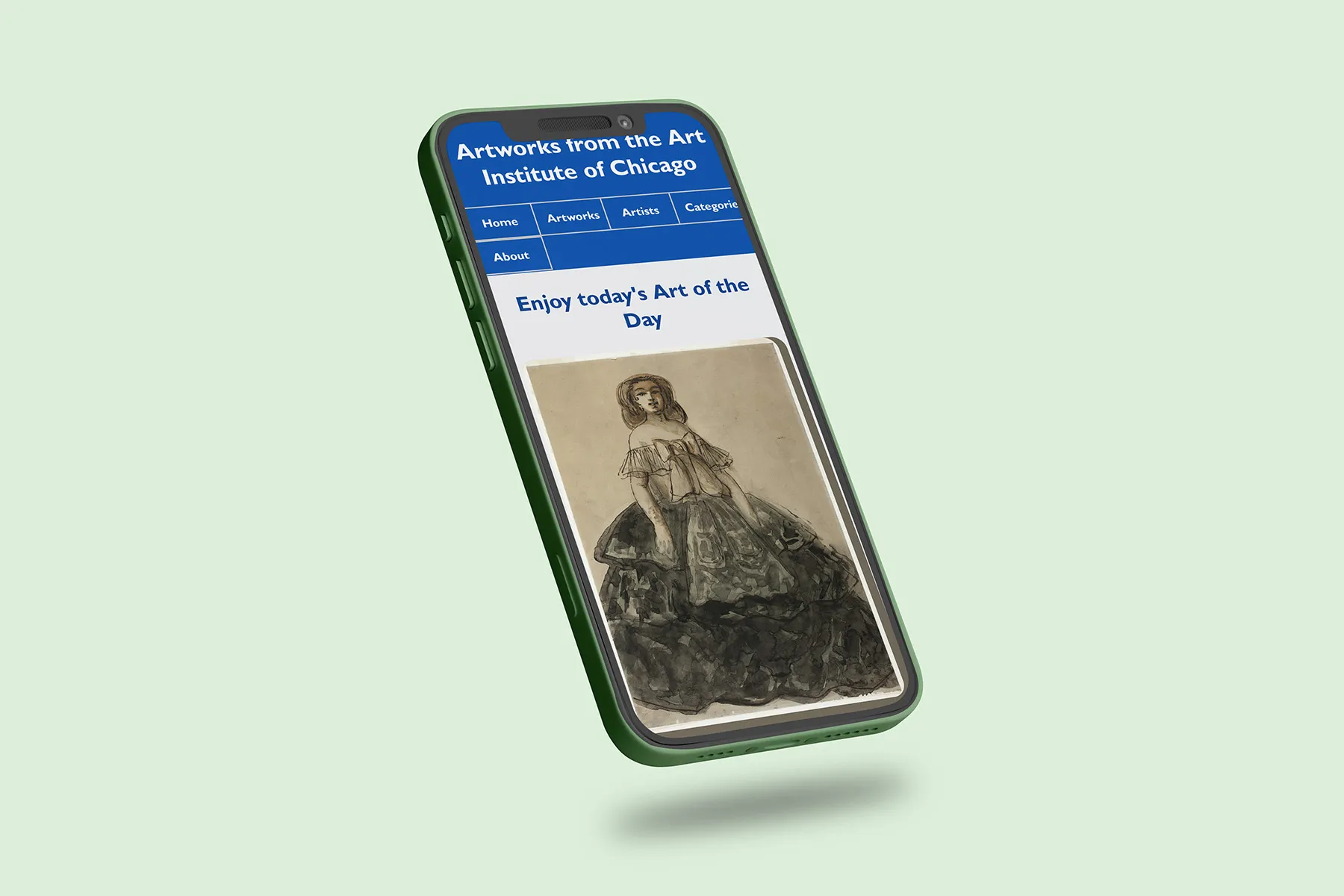
The front page of Articasso.org